


Retrieve Kubeconfig
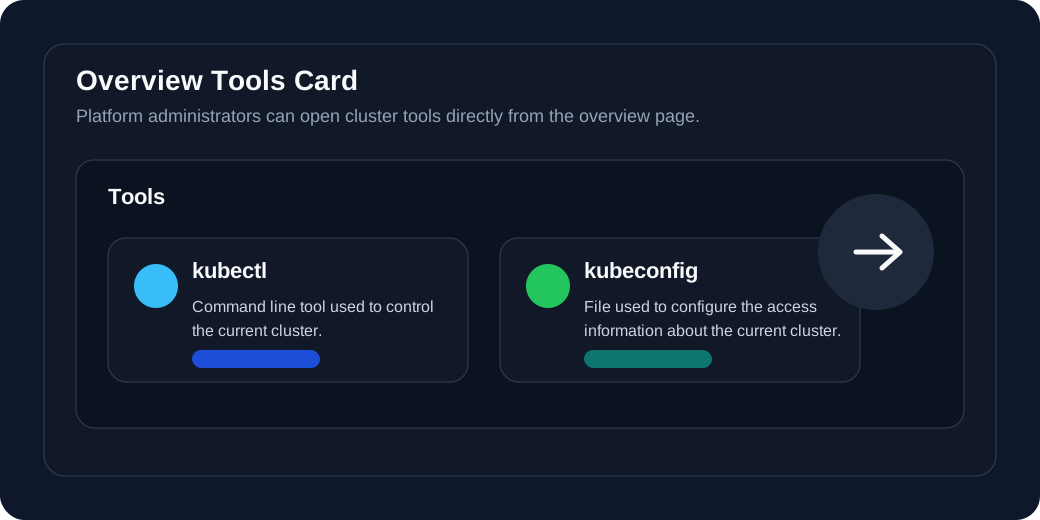
You need to provide the kubeconfig of a member cluster if you import it using direct connection. For clusters that are already connected to the console, users granted the platform-admin role can also open the kubeconfig entry from the Tools card on the cluster Overview page.
Prerequisites
You need a Kubernetes cluster and the permission to read its kubeconfig.
Open the kubeconfig page from the console
-
Log in to Kube AI Hub with a user granted the
platform-adminrole. -
Go to Platform > Cluster Management, and open the Overview page of the target cluster.
-
In the Tools card, click kubeconfig.
-
View, copy, or download the kubeconfig content from the page that opens.
Info
kubeconfig entry on the overview page is intended for clusters that are already connected to the console. If you are preparing a cluster for direct connection import, retrieve the kubeconfig from the Kubernetes cluster itself.Retrieve kubeconfig from a Kubernetes node
For a member cluster that is about to be imported, the kubeconfig is commonly available at $HOME/.kube/config on a control plane or administration node. Use the following command to print the raw kubeconfig:
kubectl config view --raw
apiVersion: v1
clusters:
- cluster:
    certificate-authority-data: <certificate-authority-data>
    server: https://lb.kube-ai-hub.local:6443
  name: cluster.local
contexts:
- context:
    cluster: cluster.local
    user: kubernetes-admin
  name: kubernetes-admin@cluster.local
current-context: kubernetes-admin@cluster.local
kind: Config
preferences: {}
users:
- name: kubernetes-admin
  user:
    client-certificate-data: <client-certificate-data>
    client-key-data: <client-key-data>
Use kubeconfig during cluster import
-
In the Kube AI Hub console, choose to import the member cluster through Direct connection.
-
Paste or upload the kubeconfig content as prompted by the page.
-
Make sure the API server address in the
serverfield is reachable from the host cluster. -
Submit the import task and wait for the cluster status to update.
Warning
 Previous
